
Hyde App Hider - Hide Apps
ZipoAppsPersonalization
4.61.78K Reviews
- Version
- 1.4.10
- Installs
- 10.00M
- Age Rating
- Everyone
Screenshots
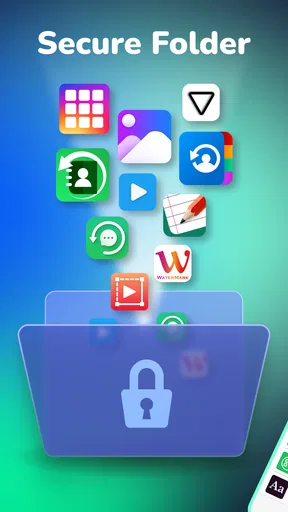
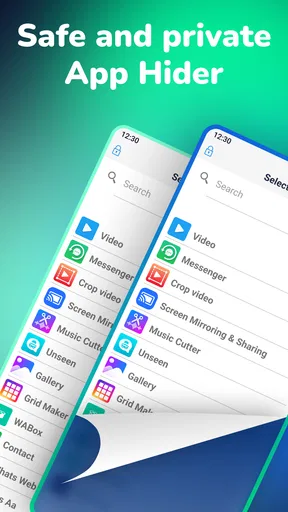
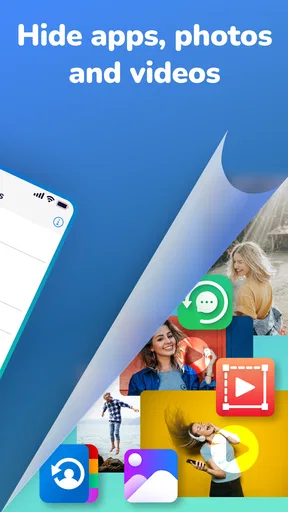
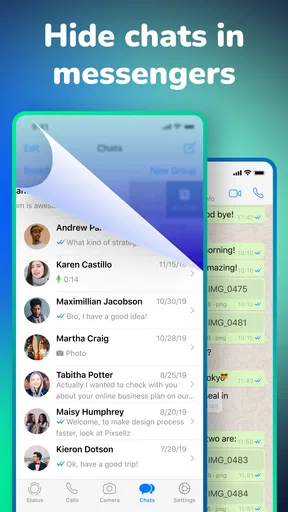
Our Review of Hyde App Hider - Hide Apps
 Analysis by Appyee
I judge a privacy tool not only by what it promises to hide, but by how clearly I can use it when I’m rushed, distracted, or sharing a phone. Hyde App Hider is a personalization app from ZipoApps built around keeping selected apps out of ordinary view. The appeal is easy to understand: sometimes I want a cleaner home screen, and sometimes I want a little more discretion when someone borrows my device. Those are useful goals, but hiding an icon is not the same as making information impossible to find, so I’d approach it as a practical layer of privacy rather than a complete security solution.
Finding your way around without a learning curve
The first question I would ask is whether the basic task feels manageable: choose an app, add it to a hide list, and understand how to reach it later. The published experience describes a direct setup rather than a maze of settings, which suits people who want a focused utility instead of a complex privacy dashboard. That simplicity can be especially helpful if you are setting things up for the first time or do not enjoy exploring technical menus.
There is a trade-off, though. A short path through setup is convenient, but it leaves less room for explanation when a new user is unsure what hiding changes and what it does not. I would start by adding only one nonessential app, then confirm that I can still open it through the intended route before moving on to more important choices. That small test is a sensible way to avoid hiding something and then feeling stuck.
Getting Started with Hyde App Hider
First things first, downloading and setting up Hyde App Hider is a breeze. You’ll find it on both Android and iOS, ready to download from the respective app stores. Once installed, the app greets you with a clean, user-friendly interface. No unnecessary frills, just straight to the point.
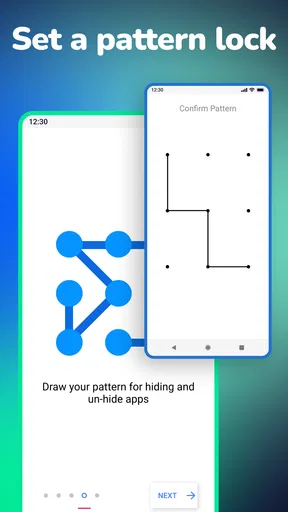
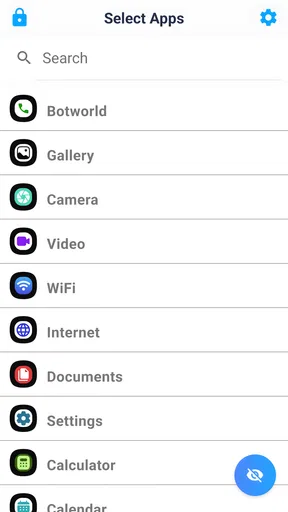
The setup process is pretty straightforward. You start by selecting the apps you want to hide. This is done by adding them to your hide list within the app. It’s intuitive and doesn’t require any rocket science. Just a few taps and voila, your apps are hidden from view.
Reading the privacy promise realistically
For me, the most useful distinction is between reducing visibility and protecting access. A hidden app may be less obvious during a quick glance at the home screen, but that alone should not be treated as a guarantee that its content, notifications, or account activity are private in every situation. Before relying on any hider for sensitive material, I would check what remains visible on the device itself and use the app’s lock option where appropriate.
That distinction also helps set expectations for families, shared-device households, and anyone who lends a phone at work or school. Hyde can help make selected apps less immediately apparent, but it is not a substitute for a device passcode, careful notification settings, or account-level security. I see it as one small part of a privacy routine, not the whole routine.
Features that Stand Out
Now, let’s talk features. Hyde App Hider isn’t just about hiding apps; it’s about doing it in style and with maximum security. Let me break down some of the coolest features for you:
- Stealth Mode:
- One of my favorite features is the stealth mode. This allows the app to disguise itself as a calculator or other mundane app. So, unless someone knows your secret, they won’t have a clue!
- App Lock:
- In addition to hiding apps, you can also lock them. This means that even if someone stumbles upon the app, they’ll need a password to access it.
- Private Browsing:
- If you want to browse without leaving a trace, the private browsing feature is a lifesaver. It’s like having an incognito mode built right into your phone.
Motor and sensory fit in ordinary use
A straightforward interface can reduce the effort involved in routine tasks, particularly for someone who prefers fewer steps and less visual clutter. I would still pay attention to whether the text, controls, and navigation are comfortable on the specific phone being used. Personalization apps are often opened briefly and in a hurry, so a layout that feels clear during a calm setup may feel less clear when someone is trying to act quickly.
For users who rely on larger text, screen readers, voice control, or other accessibility settings, the practical test is simple: can you identify the relevant controls, select the right app, and return to it without guesswork? I would try that complete sequence before placing anything important behind the hider. Ease of use is personal, and a tool that feels simple to one person may be awkward for another depending on vision, dexterity, device settings, or familiarity with app-management workflows.
Using Hyde App Hider on a Daily Basis
Using Hyde App Hider daily is as seamless as it gets. I found it particularly useful for hiding social media apps when I need to focus, or keeping banking apps out of view when lending my phone to a friend. The app runs smoothly, and I didn’t notice any lag or crashes, which is always a plus.
The great thing about this app is that it’s lightweight, so it doesn’t hog your phone’s resources. Whether you’re on an older device or a brand new phone, it won’t slow you down.
A realistic shared-phone routine
Imagine handing your phone to a friend to show a photo or let them make a quick call. You may not want a social feed or a personal utility sitting prominently among the icons they see. In that moment, hiding selected apps can make the handoff feel less exposed; it is not a reason to leave the phone unlocked with sensitive information within reach. I would still stay nearby, keep the device locked when it is not actively being used, and avoid opening private accounts in front of someone unless needed.
For focus, I would use a different rhythm: hide distracting apps before a study session or a stretch of work, then restore access when the task is done. This is a small environmental cue, not a full distraction blocker. If I need strict limits on screen time or scheduled access, the phone’s built-in wellbeing or parental-control tools are likely a better fit because their purpose is managing use rather than making icons less visible.
Where it fits among privacy alternatives
Compared with simply moving icons into a folder, an app hider is aimed at reducing how readily selected apps are spotted; a folder is easier to understand and usually better if your only goal is tidier organization. A device’s own app-lock or private-space tools, where available, may be preferable if you want controls that are integrated with the operating system. The right choice depends on whether you care most about a less visible home screen, an extra access step, or a more structured separation of personal and shared use.
Hyde’s combination of hiding, a lock, a disguised appearance, and private browsing gives it a broader privacy-oriented pitch than a basic launcher tidy-up. But these functions should not be confused with one another: hiding an icon, requiring a password, and browsing privately address different concerns. I would choose the feature that matches the actual problem rather than assuming that enabling one automatically covers the others.
Situational access and a few practical checks
Hyde App Hider is free to install, and it is rated for Everyone. It has a 4.6 average from around 337,000 ratings and more than 10 million installs, which suggests that many people are interested in this kind of quick app privacy. The current version is 1.4.8, and it requires Android 5.0 or later. It also offers in-app purchases, with items ranging from $0.99 to $279.99, so I would look carefully at any purchase screen and make sure the choice suits my needs before confirming anything.
One practical tip is to keep a short private note of which apps you have hidden and how you expect to reopen them, especially if you are configuring the phone for someone else. Another is to test the setup after changing your home-screen arrangement or device settings, since a workflow that depends on remembering a disguised entry point can be easy to forget. If several people share the device, agree on who manages the hide list; otherwise, a well-meant change can create confusion for the next person who needs an app.
What Could Be Better?
While Hyde App Hider is pretty impressive, there are a couple of things that might be worth considering. For instance, a more extensive help section or tutorial for first-time users would be beneficial. Although the app is user-friendly, having more guidance can make the experience even smoother for tech novices.
Additionally, while the app does a great job of hiding apps, it would be even better if it could integrate more with other privacy tools, like VPNs or encrypted messaging apps. This could provide a more comprehensive privacy solution.
Who should choose it—and who should look elsewhere
I can see this being useful for someone who wants a less revealing home screen, occasionally lends their phone, or wants a simple way to keep a few distracting icons out of sight. It is also a reasonable option for people who value a quick, focused tool more than a large suite of privacy settings. The app’s personalization category makes sense here: the practical benefit is partly about shaping what appears on your device, not only about safeguarding data.
I would skip it if my main need were strong protection against someone who can inspect the phone closely, or if I needed reliable time limits, parental supervision, or a fully separated work profile. I would also hesitate if I regularly forget hidden routes or depend on a very specific accessibility workflow that I have not tested with the app. In those cases, built-in device controls or a simpler folder arrangement may be clearer and easier to maintain.
Remaining barriers before you rely on it
The biggest barrier is expectation management. “Hidden” can sound absolute, while everyday privacy is affected by more than icons: a phone may still reveal information through notifications, recent activity, or the way its owner uses it. I would avoid treating a disguised appearance as proof that nobody can discover the app, and I would not use it as the sole safeguard for financial, health, or other sensitive accounts.
There is also a small ongoing cost in attention. A hide list is useful only if you remember what it contains and can retrieve the apps when needed. Before adding several apps, decide which ones genuinely benefit from being less visible and which ones are better protected by a device lock or account security. Keeping the list intentional makes the tool easier to live with and reduces the chance of hiding something you need at an inconvenient time.
Final Thoughts
All in all, Hyde App Hider is a solid choice for anyone looking to add an extra layer of privacy to their mobile device. It’s easy to use, effective, and offers a range of features that make hiding apps feel like a walk in the park. Whether you’re a privacy enthusiast or just someone who likes to keep their digital life organized, this app is definitely worth checking out.
So, if you’re ready to take control of your privacy and give nosy eyes the slip, head over to the app store and download Hyde App Hider today. You won’t regret it!
A measured recommendation for different needs
My recommendation is strongest when the goal is modest and concrete: make a few apps less obvious, add a lock where useful, or make a shared-phone moment feel more comfortable. Before relying on it, I would try the full hide-and-reopen routine, check whether the interface works comfortably with my device settings, and keep the phone’s ordinary security measures in place. Those checks matter more than simply adding every app that feels personal to a list.
For a broader privacy setup, I would pair this kind of tool with a strong device passcode, thoughtful notification choices, and account protections. If the need is primarily organization, a folder is less complicated; if the need is enforced limits, built-in usage controls are more appropriate. Hyde is best understood as a focused convenience for app visibility, with useful privacy-minded extras, rather than a replacement for those alternatives.
Inclusive verdict
What I appreciate most is that the idea is easy to grasp: choose apps, make them less visible, and use the available lock or disguise options where they suit the situation. That directness can make the app approachable, but inclusive usability still depends on whether its controls work for a person’s vision, movement, sensory preferences, and habits. I would test those details on the actual device instead of assuming that a clean interface works equally well for everyone.
With that caveat, Hyde App Hider has a clear place for people who want a quick layer of discretion without turning phone organization into a project. I would recommend it to a friend who understands the difference between hiding and securing, is comfortable maintaining a small hide list, and wants a simple way to reduce casual visibility. If your needs go further, choose a tool designed for stronger access control or structured device management instead.
Verdict
Strengths of Hyde App Hider - Hide Apps
- Easy to use with a clean interface.
- Supports multiple app hiding.
- Provides additional privacy features.
- Low impact on device performance.
- Customizable app icons for secrecy.
Limitations of Hyde App Hider - Hide Apps
- Limited features in free version.
- Occasional lag during app launch.
- Ads can be intrusive at times.
- Requires device permissions.
- Not available on all devices.
Other Releases by ZipoApps
View All
Screen Mirroring - Cast to TV
Video Players & Editors4.3

Cut and Paste Photos
Photography4.6

Edge Lighting - Borderlight
Personalization4.8

Widgets OS 18 - Color Widgets
Personalization4.7
Similar Picks in This Category
View All
Microsoft SwiftKey AI Keyboard
SwiftKey4.3

Wallpapers
Google LLC4.1

Zedge™ Wallpapers & Ringtones
Zedge4.7

Yandex Browser with Alice AI
Direct Cursus Computer Systems Trading LLC4.3

Ringtone Maker:create ringtone
Big Bang Inc.4.7

Fonts Keyboard
Fonts Keyboard3.9
Frequently Asked Questions
What is Hyde App Hider and what does it do?
Hyde App Hider is a utility app designed to help users hide applications on their Android devices for privacy and security purposes. It allows users to conceal apps from the home screen and app drawer, ensuring that sensitive or private apps are not easily accessible to others who might use the device.
Is Hyde App Hider safe to use on my device?
Yes, Hyde App Hider is generally safe to use, as long as it is downloaded from a reputable source such as the Google Play Store. The app focuses on privacy and does not require unnecessary permissions. However, users should always read permissions carefully and ensure they are comfortable with the app's access requirements.
Does Hyde App Hider affect the performance of my phone?
Hyde App Hider is designed to run efficiently without significantly affecting the performance of your phone. It operates in the background using minimal resources. However, as with any app that runs continuously, it may impact battery life slightly, depending on usage and device specifications.
Can I unhide apps once they have been hidden?
Yes, Hyde App Hider allows you to unhide apps at any time. The process is straightforward and can be done easily through the app’s interface. This flexibility ensures users have complete control over which apps are visible or hidden at any given time.
Is Hyde App Hider free or does it require a subscription?
Hyde App Hider is typically available as a free download with basic features. However, it may offer in-app purchases or a premium version that provides additional features or removes ads. Users should check the app’s description in the store for detailed information on pricing and available features.
